
Running a service business means juggling a lot of tasks at once. We need to find new clients, keep current ones happy, and manage everything in between. Marketing can feel overwhelming when we’re already busy delivering great services to our customers.

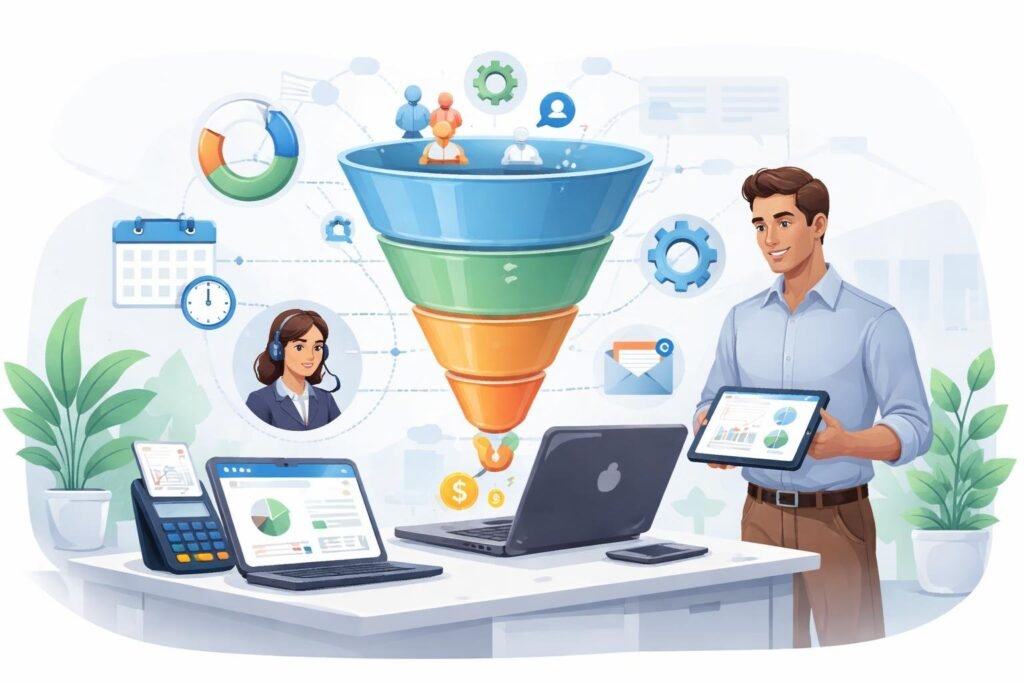
ClickFunnels is a tool that helps service businesses create sales funnels to turn website visitors into paying clients without needing technical skills or a big marketing team. It brings together landing pages, email systems, and payment processing in one place. This means we can spend less time managing different tools and more time doing what we do best.
Whether we run a consulting firm, creative agency, or any other service business, having a clear path for potential clients matters. ClickFunnels helps us build that path step by step. We’ll explore how this platform works for service businesses, what features help us grow, and how to get started using it effectively.
Why ClickFunnels Is Essential for Service Businesses

Service businesses need a structured way to turn website visitors into paying clients, and ClickFunnels provides exactly that through automated sales processes. Unlike traditional websites that leave potential customers to figure things out on their own, we get a clear path that guides prospects from initial interest to booking our services.
Key Benefits for Service Providers
ClickFunnels eliminates the guesswork from client acquisition for service businesses. We can build complete sales processes without hiring developers or designers. The drag-and-drop system lets us create professional-looking pages in hours instead of weeks.
The platform tracks every step of our customer journey. We see where people drop off and which offers convert best. This data helps us make smarter decisions about our marketing.
Main advantages include:
- Pre-built templates designed specifically for service bookings
- Automated email sequences that nurture leads without manual work
- Payment processing integrated directly into our funnels
- A/B testing tools to improve conversion rates over time
The analytics dashboard shows us real numbers about our funnel performance. We know our cost per lead, conversion rates, and total revenue from each campaign.
Typical Use Cases in Service Industries
Consultation booking funnels are the most common application for service-based businesses. We capture contact information, qualify leads through questions, and let prospects schedule directly on our calendar.
Service professionals use ClickFunnels for:
- Law firms offering free case evaluations
- Marketing agencies booking strategy calls
- Contractors providing quote requests
- Coaches selling discovery sessions
- Consultants delivering webinars that lead to high-ticket services
Many entrepreneurs create multi-step funnels that educate prospects before the sales conversation. A personal trainer might offer a free workout guide, then invite people to a paid fitness assessment. This approach builds trust and filters out tire-kickers.
ClickFunnels vs Traditional Websites
Traditional websites act like digital brochures with multiple navigation options and distractions. ClickFunnels focuses visitors on one specific action per page, which dramatically increases conversion rates.
| Traditional Website | ClickFunnels |
|---|---|
| Multiple menu options and pages | Single path to one goal |
| General information about all services | Specific offer presented clearly |
| Contact forms that go nowhere | Automated follow-up sequences |
| Static pages that rarely change | Easy A/B testing and updates |
| Visitors choose their own journey | Guided step-by-step process |
Most websites for service businesses get traffic but fail to convert visitors into booked appointments. We might get 50 visitors with only 1-2 inquiries. With properly built funnels, that same traffic could generate 5-10 qualified leads.
The key difference is intentional design. Every element in our funnel serves a purpose in moving people toward booking our services.
Core Features of ClickFunnels for Service Businesses

ClickFunnels gives us the tools we need to build complete sales funnels without hiring developers or tech experts. The platform centers around three main features that help service businesses connect with potential clients and turn them into paying customers.
Funnel Builder Overview
The funnel builder is the heart of ClickFunnels. It lets us create complete customer journeys from the moment someone discovers our services to when they book or buy. We can build different types of funnels for our service business needs, like lead generation funnels to collect contact information, webinar funnels to showcase our expertise, or booking funnels to schedule consultations.
The funnel builder works by connecting different pages together. A typical service business funnel might start with a landing page, move to a booking page, and end with a thank you page. Each page serves a specific purpose in moving potential clients closer to working with us.
We can also test different versions of our funnels using A/B testing. This feature helps us figure out which headlines, images, or calls-to-action work best for our audience.
Drag-and-Drop Editor
The ClickFunnels editor uses a simple drag-and-drop system. We don’t need to know how to code or understand technical web design. We just click on elements and move them where we want them on the page.
We can add text boxes, images, videos, buttons, and forms by dragging them from a menu onto our page. If we want to change something, we click on it and adjust the settings. We can change colors, fonts, sizes, and spacing to match our brand.
The editor shows us exactly what our funnel pages will look like on computers, tablets, and phones. This helps us make sure our service business looks professional on every device our potential clients use.
ClickFunnels Templates
ClickFunnels provides pre-built templates designed for different business types and goals. We don’t have to start from scratch when building our funnels. The funnel templates are ready to use and built based on proven marketing strategies.
For service businesses, we can choose templates for consulting services, coaching programs, professional services, or local businesses. Each template includes all the pages we need for a complete funnel. We simply pick a template, swap in our own text and images, and customize it to fit our specific services.
The templates save us time and give us a starting point based on what already works. We can use them as-is or modify them using the drag-and-drop editor to better fit our brand and services.
Building High-Converting Funnels

Creating funnels that turn visitors into paying clients requires strategic planning and the right combination of pages and offers. We need to match our funnel type to our service offering, design compelling opt-in pages, add strategic upsells, and continuously test what works best.
Types of Funnels for Services
Different service businesses need different funnel structures. A squeeze page funnel works well when we want to capture leads quickly with a simple opt-in page that offers a free guide or checklist. This is the most basic funnel type and perfect for building our email list.
An application funnel helps us pre-qualify potential clients before booking calls. We can ask specific questions about budget, timeline, and needs to filter out prospects who aren’t a good fit. This saves us time and focuses our energy on serious buyers.
The tripwire funnel offers a low-cost service or mini-consultation to get clients in the door. Once they experience our work, we can upsell them to our main service packages. A VSL funnel (video sales letter funnel) uses a video to explain our services and build trust before asking for the sale.
For educational content, a book funnel lets us offer a physical or digital book to attract leads. A summit funnel works when we host virtual events or workshops to showcase our expertise. The membership funnel suits ongoing service subscriptions or coaching programs.
Landing Pages and Opt-In Forms
Our landing pages must grab attention and make one clear ask. We should focus on a single goal per page, whether that’s getting an email address or booking a consultation. The headline needs to address our prospect’s main problem in simple terms.
Opt-in forms should ask for minimal information at first. Email and name are usually enough. We can gather more details later through application forms or checkout pages. Every field we add reduces our conversion rate.
The opt-in page layout matters more than we think. We should place our form above the fold so visitors see it immediately. Adding bullet points that list specific benefits works better than long paragraphs. Social proof like testimonials or client logos builds credibility fast.
Our squeeze page needs a strong call-to-action button. Words like “Get My Free Guide” convert better than generic “Submit” buttons. The button color should stand out from the rest of the page design.
Order Bumps and Upsells
Order bumps appear right on the checkout page as small add-ons clients can select with one click. For service businesses, this might be an expedited delivery option, an extra consultation session, or a bonus template package. These typically cost 10-30% of the main offer price.
Upsells happen after someone commits to buying but before final payment confirmation. We can offer a premium version of our service, additional support hours, or complementary services. The key is relevance to what they just purchased.
Downsells give us a second chance when someone declines our upsell. We might offer a payment plan, a smaller package, or a future discount. This keeps the conversation going instead of losing the sale completely.
The timing of these offers matters. Order bumps work because they require minimal effort and appear when buying intent is highest. Upsells succeed when we frame them as logical next steps that enhance the original purchase.
A/B Testing Strategies
A/B testing means showing two versions of a page to different visitors and measuring which converts better. We should test one element at a time so we know what caused the change in results. Headlines often have the biggest impact on conversion rates.
Start by testing major elements on our sales funnel pages. Try different headlines, images, or call-to-action buttons. Run each test until we get at least 100 conversions per variation to ensure the data is reliable.
Our opt-in forms need regular testing too. We can test short forms versus long forms, different button colors, or the placement of trust badges. Even small improvements of 2-3% add up significantly over time.
Testing sales letter funnels and video sales letters requires patience. We might test video length, the script opening, or whether to show pricing upfront. Keep track of both opt-in rates and final conversion rates since a page might get more leads but fewer buyers.
Integrating ClickFunnels With Your Business Tools

ClickFunnels works best when connected to the tools you already use to run your service business. The right integrations help you manage client relationships, automate follow-ups, and save hours of manual work each week.
Essential Integrations for Service Businesses
Service businesses need different integrations than e-commerce stores. We recommend starting with three core connections that handle the most critical tasks.
CRM systems should be your first priority. These tools store client information and track where each person is in your sales process. Popular options include HubSpot, Salesforce, and Keap.
Email marketing platforms come next. Tools like Mailchimp and ActiveCampaign let you send automated sequences to nurture leads. When someone fills out a form in your funnel, they’re instantly added to your email list.
Payment processors are essential if you collect deposits or payments. ClickFunnels connects with Stripe and PayPal to handle transactions securely.
You don’t need dozens of integrations to start. Most service businesses run smoothly with just these three types of connections in place.
Connecting CRM and Email Marketing Tools
Setting up CRM and email marketing integrations is straightforward. ClickFunnels offers direct connections to major platforms without requiring technical knowledge.
When a new contact enters your funnel, their information flows automatically to your CRM. This eliminates the need to copy and paste contact details or import spreadsheets. Your team can follow up immediately instead of waiting days to process new leads.
Email marketing tools work the same way. We can tag contacts based on which pages they visit or which forms they complete. Someone who downloads a free guide gets different emails than someone who books a consultation call.
ActiveCampaign is particularly powerful for service businesses. It combines email marketing with CRM features and advanced automation. You can track client interactions and send targeted messages based on their behavior.
Mailchimp works well for simpler needs. It handles email sequences and basic segmentation without overwhelming new users.
Both platforms sync with ClickFunnels in real-time. There’s no delay between someone joining your funnel and receiving their first automated email.
Leveraging Webhooks and Automation
Webhooks extend what you can do beyond standard integrations. They send data from ClickFunnels to other apps instantly when specific actions happen.
Think of webhooks as messengers. When someone completes a form, the webhook notifies your other tools immediately. This triggers actions across multiple platforms at once.
Zapier makes webhooks accessible without coding knowledge. It connects ClickFunnels to thousands of apps that don’t have direct integrations. You can send funnel data to project management tools, scheduling apps, or custom databases.
Common automation workflows include adding clients to Slack channels, creating calendar appointments, or updating Google Sheets. These happen automatically based on rules you set up once.
We recommend starting with one or two simple automations. Test them thoroughly before building complex workflows. This prevents errors that could confuse clients or lose important data.
Advanced Email Marketing and Automation
ClickFunnels gives service businesses powerful tools to send the right message to the right person at the right time. We can organize our contacts into specific groups, set up email sequences that run automatically, and create custom workflows that respond to how clients interact with our business.
Segmenting Leads and Clients
We can divide our email list into smaller groups based on specific characteristics or behaviors. This means sorting contacts by things like which services they’re interested in, how far along they are in the buying process, or what actions they’ve taken on our website.
ClickFunnels lets us tag people automatically when they download a resource, book a call, or visit certain pages. These tags help us send more relevant messages instead of sending the same email to everyone.
For example, we might create segments for:
- New leads who just signed up
- People who attended a webinar but didn’t book
- Current clients using specific services
- Past clients we want to bring back
When we use segmentation, our emails feel more personal and get better results. People are more likely to open and click when the content matches what they actually need.
Automated Email Sequences
We can set up series of emails that send automatically based on triggers we choose. Once someone takes a specific action, they enter a sequence that delivers messages over days or weeks without us touching anything.
A typical sequence for service businesses might welcome new subscribers, share helpful tips, explain our process, and eventually invite them to book a consultation. Each email builds on the last one to move people closer to becoming clients.
ClickFunnels handles the timing and delivery while we focus on other parts of our business. We can also set up sequences for onboarding new clients, following up after appointments, or re-engaging people who went quiet.
The email automation saves us hours every week and makes sure no lead falls through the cracks.
Personalized Flows and Triggers
We can create custom workflows that respond to exactly how someone interacts with our emails and pages. These flows use triggers to start specific actions when certain conditions are met.
A trigger might be someone clicking a link, opening an email three times, or not responding for 30 days. When that happens, the system automatically moves them to a different path with messages that match their behavior.
For retargeting people who didn’t complete an action, we can build flows that send gentle reminders or offer additional help. If someone books a call, a different flow can start that prepares them for the meeting and sends calendar reminders.
We can also use broadcasting to send one-time announcements to our entire list or specific segments. This works well for launching new services, sharing urgent updates, or promoting special offers while our automated flows keep running in the background.
Optimizing for Performance and Conversion
We can improve our ClickFunnels service business by tracking important metrics, making our funnels work well on phones, and showing what happy clients say about us. These three areas directly impact how many visitors become paying customers.
Using Analytics to Improve Results
We need to track the right numbers to understand what works in our funnels. Google Analytics and ClickFunnels built-in analytics show us where people leave our funnel and which pages get the most engagement.
Our conversion rate tells us how many visitors take the action we want. We should check this number weekly and look for patterns. If 100 people visit our funnel and 3 book a call, our conversion rate is 3%.
Key metrics to monitor:
- Page views and bounce rates
- Time spent on each page
- Button click rates
- Form completion rates
- Cost per lead
We can run split tests to compare different versions of our pages. Change one thing at a time, like a headline or button color. Let each test run until we have data from at least 100 visitors before making decisions.
Mobile Optimization Best Practices
Most people browse websites on their phones now. Our funnels must load fast and look good on small screens.
We should keep our mobile pages simple. Large buttons work better than small ones because they’re easier to tap. Forms need fewer fields on mobile since typing on phones takes longer.
Page speed matters more on mobile devices. Slow pages make people leave before they see our offer. We can compress images and remove extra code to speed things up. Our pages should load in under three seconds.
Test our funnels on different phone sizes. What looks good on an iPhone might look broken on an Android. We need to check that all buttons work and text is easy to read without zooming.
Gathering and Showcasing Testimonials
Real feedback from clients builds trust with new visitors. We should ask happy clients for testimonials right after we deliver great results.
Make it easy for clients to give testimonials. Send them three specific questions about their experience instead of asking for general feedback. Record video testimonials when possible since people connect more with faces and voices.
Place testimonials near decision points in our funnel. Put them close to booking buttons or pricing information. Include the client’s full name, photo, and business name to make testimonials more believable.
We can create different testimonials for different services. If we offer multiple services, match the testimonial to what the visitor is looking at. A testimonial about website design won’t help someone looking for consulting services.
ClickFunnels Pricing and Getting Started
ClickFunnels pricing is structured around business growth stages, with plans starting at $97 per month and a 14-day free trial available. We’ll walk through the different subscription options, current special offers, and alternatives worth considering if ClickFunnels doesn’t fit your service business needs.
Subscription Plans for Service Businesses
ClickFunnels offers multiple pricing tiers that bundle funnel building, email marketing, automation, and hosting into one package. The Basic Plan starts at $97 per month and includes 20 funnels and 100 funnel pages, which works well for solo consultants or small service providers just getting started.
Higher-tier plans remove limits on funnels and contacts while adding features like advanced automation and priority support. Service businesses that need to manage multiple client funnels or large email lists will benefit from these upgraded options.
Each plan includes core features we need for service businesses: landing page builders, email sequences, payment processing, and CRM tools. The main differences between tiers are the number of contacts, courses, and monthly email sends allowed.
Free Trial and Special Offers
ClickFunnels provides a 14-day free trial on any plan, giving us full access to test features before committing. We don’t need a credit card to start exploring, though we’ll need to add payment details before the trial ends.
Some promotional periods offer special deals like $99 for three months upfront. This option significantly reduces our initial investment while we’re testing whether ClickFunnels works for our service business model.
The free trial period gives us enough time to build a complete funnel, test automations, and see real results with our clients. We can cancel anytime during the trial without charges.
Exploring ClickFunnels Alternatives
Several platforms compete with ClickFunnels in the funnel builder space. Kartra, Kajabi, and GoHighLevel offer similar all-in-one solutions with different pricing structures and feature sets tailored to service providers.
Some alternatives focus specifically on coaching or consulting businesses, with built-in scheduling tools and client management features. Others prioritize e-commerce or course creation over service business workflows.
We should compare based on our specific needs: Do we need advanced calendar booking? White-label options for agency work? Different email sending limits? The right platform depends on which features matter most for our particular service business model and budget constraints.
Growing Your Service Business With ClickFunnels Community
The ClickFunnels community offers service business owners access to proven funnel strategies, successful marketers who share their results, and ways to earn extra income through affiliate partnerships. We can tap into a network of over 300,000 entrepreneurs who help each other grow.
Funnel Strategy and Support
When we join the ClickFunnels community, we get help from other funnel hackers who understand what works. We can ask questions about our specific service business challenges and get answers from people who have solved similar problems.
The community lets us share funnels with each other. This means we can look at how other service businesses structure their pages and client journeys. We don’t have to start from scratch every time.
Key benefits we get from community support:
- Real answers to technical questions about funnel setup
- Strategy advice for service-specific challenges
- Access to tested funnel templates from other members
- Quick help when we run into problems
We can search past discussions before asking new questions. This saves us time and often gives us instant solutions.
Learning From Successful Marketers
The community includes members who have made millions using funnels for their service businesses. We learn by seeing what actually works in the real world, not just theory.
These marketers share their wins and losses. We see which funnel types work best for different services like coaching, consulting, or professional services. We get to study their approaches to booking calls, qualifying leads, and closing clients.
We can follow specific funnel hackers who run businesses similar to ours. Their shared experiences help us avoid costly mistakes and speed up our growth.
Affiliate Program Opportunities
ClickFunnels offers us a way to earn money while growing our service business. When we recommend ClickFunnels to other service providers, we can earn commissions through their affiliate program.
This works well because we already use the platform for our own business. We share what we know, and if someone signs up through our link, we earn recurring income. Many community members build significant side income this way.
The affiliate program gives us marketing materials and tracking tools. We don’t need to create everything ourselves. Some service business owners even teach funnel strategy to their clients and earn affiliate income when those clients need the software.