
If you run online ads or work in affiliate marketing, you probably wonder where your clicks come from and which campaigns actually make money. Without proper tracking, you’re wasting money on ads that don’t work. ClickMagick is a link tracking tool that promises to solve this problem by showing you exactly what happens with every click.
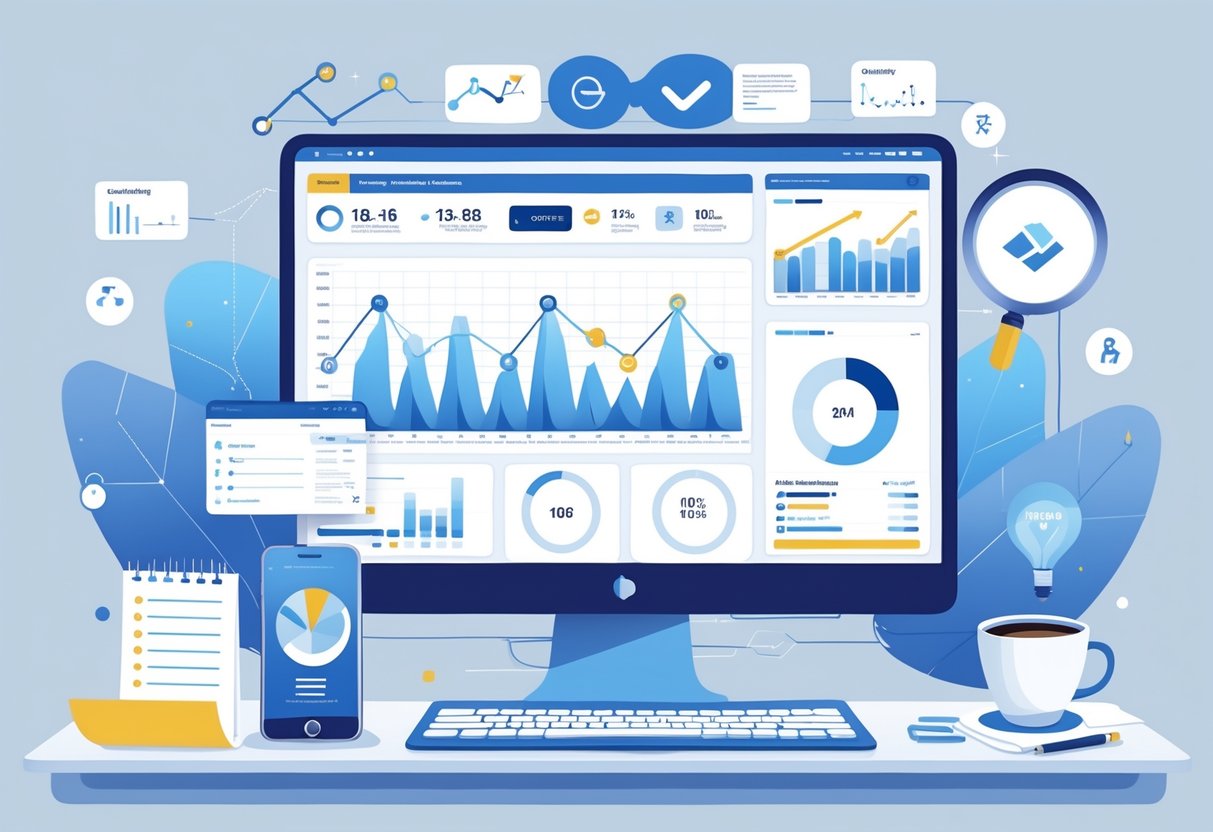
ClickMagick helps marketers track their links, monitor conversions, and see which traffic sources bring real results so they can stop wasting money on bad campaigns. The software has been around for over 10 years and offers features like click fraud protection, split testing, and detailed analytics reports. But does it actually work as promised, and is it worth the monthly cost?
We tested ClickMagick to see how it performs in real-world use. This in-depth ClickMagick review covers what the tool does, how much it costs, who should use it, and whether it lives up to the hype. We’ll also look at alternatives so you can decide if this is the right tracking solution for your business.
What Is ClickMagick?
ClickMagick is a link tracking software designed for online marketers who need to monitor their campaigns. We use it to track clicks, conversions, and overall campaign performance in real time.
The platform works as a link tracker that sits between your ads and your landing pages. When someone clicks your tracked link, ClickMagick records data about that click before sending the visitor to their destination. This gives us detailed information about where our traffic comes from and how it behaves.
Core Functions:
- Track clicks across multiple traffic sources
- Monitor conversion rates and sales
- Detect click fraud and bot traffic
- Split test different landing pages
- Organize campaign data in one dashboard
ClickMagick serves affiliate marketers who run paid traffic campaigns. We need accurate tracking to know which ads are profitable and which ones lose money. Without this data, we’re making marketing decisions blindly.
The software tracks individual visitors through their entire journey. We can see if someone clicked our ad, visited our landing page, and eventually made a purchase. This level of detail helps us optimize our affiliate marketing campaigns for better results.
ClickMagick also includes tools to protect our ad spend. It blocks fraudulent clicks from bots and competitors who might try to drain our budget. The platform flags suspicious activity so we can take action quickly.
The system works with most major advertising platforms and affiliate networks. We can track traffic from Facebook, Google, native ads, and other sources all in one place.
ClickMagick Review – Core Features
ClickMagick provides tools to track marketing campaigns, protect against fake clicks, and measure conversions across different devices. The platform centers on giving marketers control over their data through independent tracking that doesn’t rely on ad platforms.
Link Tracking Capabilities
ClickMagick tracks every click on our links regardless of where we place them. We can monitor traffic from paid ads, email campaigns, social media posts, and organic content all in one dashboard.
The platform creates tracking links that capture data like traffic source, device type, location, and time of click. We can set up custom tracking domains to maintain our brand appearance while collecting this data. Link cloaking hides long affiliate URLs and makes them look cleaner to visitors.
We get real-time reports showing which traffic sources produce the most clicks. The system tracks sub-IDs and custom parameters so we can identify specific campaigns, keywords, or ad variations. This helps us see exactly what works and what doesn’t in our marketing efforts.
Conversion Tracking and Attribution
The conversion tracking system monitors sales, leads, and other actions that happen after someone clicks our link. We place a simple conversion pixel on our thank you pages or use postback URLs for affiliate offers.
ClickMagick attributes conversions back to the original traffic source automatically. This means we know which ad, email, or post actually generated each sale. The platform supports first-click and last-click attribution models.
We can track multiple conversion types within the same campaign. For example, we might track both email signups and purchases separately. The system calculates important metrics like cost per conversion and return on ad spend based on the conversion data we feed it.
Bot Filtering and Click Fraud Protection
ClickMagick filters out bot traffic and fraudulent clicks before they reach our landing pages. The system uses TrueTracking technology to identify and block automated bots, click farms, and suspicious activity patterns.
We see reports showing how many bot clicks were blocked and how much ad spend we saved. The protection works automatically without requiring setup on our part. This keeps our conversion data accurate by removing fake traffic from our reports.
The bot filtering also protects our advertising accounts from invalid click activity. Many ad platforms penalize advertisers who send them low-quality traffic, so blocking bots before they click through helps maintain our account health.
Cross-Device Tracking
Cross-device tracking follows visitors who start on one device and convert on another. Someone might click our ad on their phone during lunch but complete the purchase on their laptop at home.
ClickMagick uses fingerprinting technology to recognize the same person across devices. This means we don’t lose credit for conversions that happen on a different device than the initial click. The system tracks users for up to 60 days after their first click.
We get accurate conversion rates because the platform counts these cross-device conversions correctly. Without this feature, we would underestimate how well our mobile ads perform since many people research on mobile but buy on desktop.
Traffic Quality and Analytics
ClickMagick provides detailed traffic quality analysis tools and real-time reporting that help identify which traffic sources generate actual conversions. The platform’s bot filtering and attribution tracking give us clear visibility into campaign performance and ROI.
Traffic Quality Analysis
ClickMagick filters out 99% of bot traffic through its advanced detection system. This means we see data from real users instead of fake clicks that waste our ad budget.
The platform monitors several quality indicators for each traffic source. We can see bounce rates, engagement time, and conversion rates broken down by source, device, and location.
Key Quality Metrics:
- Click fraud detection and blocking
- Bot traffic identification
- Traffic source scoring
- Device and browser fingerprinting
- Suspicious pattern alerts
The traffic quality analysis helps us spot problems fast. If a traffic source sends mostly bots or low-quality visitors, we see it in the dashboard within hours. We can then pause that source and stop losing money.
Real-Time Stats and Reporting
All stats update in real-time as visitors click our links. We don’t wait hours or days to see how campaigns perform.
The dashboard shows clicks, conversions, and costs as they happen. We can track multiple campaigns at once and compare their performance side by side. Custom reports let us filter data by date range, traffic source, country, device type, and other variables.
Real-time stats help us make quick decisions. If a campaign suddenly drops in conversion rates, we catch it immediately instead of wasting more ad spend.
Attribution Models and Data Retention
ClickMagick tracks conversions across devices and sessions. The platform stores our tracking data permanently with no time limits on data retention.
We can choose different attribution windows to match our sales cycle. Short attribution windows work for impulse purchases, while longer windows suit products with extended decision periods. The system tracks both first-click and last-click attribution to show us the complete customer journey.
Conversion attribution works even for offline sales. We can manually import sales data or use API integrations to connect external systems.
Optimization and Testing Tools
ClickMagick includes testing and optimization features that help marketers improve campaign performance without increasing ad spend. The platform focuses on split testing, audience refinement, and location-based targeting to boost conversion rates.
A/B Split Testing and Rotators
We can run A/B split testing directly within ClickMagick to compare different landing pages, offers, or ad variations. The platform shows us which version performs better based on clicks and conversions.
The rotator feature lets us distribute traffic evenly across multiple URLs. We set up a single tracking link that automatically sends visitors to different destinations. This makes testing faster because we don’t need to manually split traffic or create separate campaigns.
We can also use weighted rotations to send more traffic to winning variations once we identify them. The system tracks each version separately and provides clear data on click-through rates and conversion metrics. This approach helps us find the best-performing content quickly and scale what works.
Audience and Conversion Optimization
ClickMagick offers Audience Optimization tools that identify our best-converting traffic sources. The platform analyzes visitor behavior and shows us which audiences generate the most leads and sales.
We can use MagickPop and MagickBars to capture leads and increase conversions on our pages. These are pop-up and notification bar tools built into the platform. They let us display targeted messages based on visitor behavior.
The conversion optimization features track the entire customer journey from first click to final sale. We see exactly where visitors drop off in our funnel and can fix problem areas. The data helps us make informed decisions about where to invest our marketing budget.
Geo and Mobile Targeting
Geo-targeting in ClickMagick allows us to send visitors to different pages based on their location. We can create one tracking link that redirects users to country-specific offers or language-specific landing pages automatically.
The platform supports mobile targeting so we can send smartphone users to mobile-optimized pages while desktop visitors see different content. This ensures every visitor gets the best experience for their device.
We can combine geotargeting with mobile targeting for precise traffic control. For example, we might send mobile users from the United States to one offer while desktop users from Canada see something different. These targeting options work automatically once we configure the rules in our tracking links.
Integrations and Compatibility
ClickMagick connects with major advertising platforms and marketing tools through built-in integrations and API access. The platform supports tracking pixels for retargeting campaigns and works with popular email services, page builders, and analytics tools.
Supported Marketing Tools and Platforms
ClickMagick includes direct integrations with Google Ads, Microsoft Ads, Facebook Ads, and TikTok Ads. These connections let us track ad performance and conversions without manual setup steps.
The platform works with Shopify through a companion app. This integration helps ecommerce stores track sales and customer behavior from ads to checkout.
We can connect ClickMagick with email marketing platforms like Kit (formerly ConvertKit). The system also works with page builders including Divi, which makes it easy to add tracking to landing pages and websites.
ClickMagick is Google Analytics compatible. We can send tracking data to Google Analytics to see our marketing results alongside other website metrics.
Tracking Pixels and Retargeting
The platform supports retargeting pixels from major ad networks. We can add Facebook Pixel, Google Ads remarketing tags, and other tracking pixels to our ClickMagick links.
When someone clicks our tracked link, ClickMagick fires the retargeting pixels we’ve configured. This builds audiences for future ad campaigns without additional code on our landing pages.
The conversion tracking system works with pixels to record when visitors complete actions. We can track purchases, signups, and other goals through pixel events or postback notifications.
API and Third-Party Integrations
ClickMagick offers API access for custom integrations. We can use postback URL tracking to send conversion data between platforms that don’t have direct integrations.
The system works with link shorteners like Bitly. We can use our own branded domains or connect third-party shortening services to our tracking setup.
Postback URLs let us connect affiliate networks and marketing platforms. When a conversion happens, ClickMagick sends data to the postback URL we specify. This keeps our tracking accurate across multiple tools and services.
Plans, Pricing, and Trial
ClickMagick offers three pricing tiers with different click limits and features, plus a 14-day free trial to test the platform. The pricing structure is straightforward, with monthly plans that scale based on your tracking needs.
ClickMagick Pricing Options
ClickMagick pricing includes three monthly plans. The Starter Plan costs $69 per month and supports up to 10,000 clicks per month. The Standard Plan is $149 per month and handles up to 100,000 clicks per month. The Pro Plan costs $299 per month and provides unlimited click tracking.
Each plan includes core tracking features like real-time reporting and conversion tracking. ClickMagick removed their annual pricing options, so only monthly plans are available now. All plans come with access to bot filtering and basic optimization tools.
Free Trial and Money-Back Guarantee
ClickMagick provides a 14-day free trial for all plans. The trial period gives you full access to test the platform’s features before paying. You can sign up without a credit card requirement in some cases.
We recommend trying the Standard plan during your trial period since it includes most advanced features. This lets you evaluate the platform’s full capabilities for two weeks. The trial helps you decide if ClickMagick fits your tracking needs before committing to a monthly subscription.
Comparing Plans: Starter, Standard, and Pro
The Starter Plan works for small campaigns with limited traffic. It tracks up to 10,000 clicks per month, which suits beginners or marketers with small ad budgets. This plan includes basic tracking and reporting tools.
The Standard Plan is the middle option for growing businesses. With 100,000 clicks per month, it handles medium-sized campaigns across multiple channels. This plan adds advanced attribution features and integration options.
The Pro Plan removes click limits entirely. It’s built for agencies and large advertisers running high-volume campaigns. This tier includes priority support and all available features without restrictions.
User Experience and Support
ClickMagick prioritizes ease of use and provides strong customer support to help users get the most from their tracking tools. The platform features an intuitive design that works for beginners and experienced marketers, backed by a support team that actively responds to user needs and feedback.
User-Friendly Interface and Ease of Use
The platform is built with simplicity in mind. We found the interface easy to navigate, even for users who have never worked with click tracking tools before.
Setting up campaigns doesn’t require technical knowledge. The dashboard presents information clearly, and most features are accessible within a few clicks. Users can create tracking links, view reports, and manage campaigns without confusion.
Key interface benefits:
- Clean, organized dashboard layout
- Simple campaign setup process
- Easy-to-read analytics and reports
- Quick access to main features
The platform also includes tutorials and help articles that guide users through each feature. These resources make it possible to start tracking clicks and conversions quickly without a steep learning curve.
Customer Support and Resources
ClickMagick’s support team consists of actual marketers with real-world experience, not just standard customer service representatives. This makes a significant difference when users need help with tracking strategies or technical issues.
The support service responds quickly to questions. Users report receiving prompt replies with clear, helpful information. Many receive personalized assistance, including detailed video walkthroughs and step-by-step instructions for their specific situations.
Available support resources:
- Direct support from experienced marketers
- Comprehensive knowledge base
- Video tutorials
- Step-by-step guides
The support team stays with users until their problems are fully resolved. This level of fanatical support has earned positive reviews from customers who appreciate the patience and dedication they receive.
Continuous Updates and User Feedback
The company actively listens to user feedback and releases new features based on customer needs. ClickMagick has evolved through several improvements that enhance functionality and address user requests.
We noticed that the platform regularly adds features that solve common marketing challenges. The development team considers real-world use cases when planning updates. This approach ensures the tool remains relevant and useful for current marketing practices.
Users appreciate that their suggestions get consideration. The company’s commitment to implementing requested features shows they value customer input and want to improve the user experience continuously.
Security, Reliability, and Compliance
ClickMagick implements security measures to protect tracking data and provides monitoring tools to ensure links stay functional. The platform also includes fraud detection systems to filter out fake clicks and protect advertising budgets.
Data Security and SSL
ClickMagick uses SSL encryption to secure data transmission between users and their servers. This means tracking data and login information travel through encrypted connections.
The platform stores user data on secure servers with standard security protocols. However, users are responsible for reviewing ClickMagick’s privacy policy to understand how their data is handled and stored.
ClickMagick states it follows GDPR compliance standards for tracking. This is important for marketers who work with European audiences or need to follow data privacy regulations.
Users should note that while ClickMagick provides security measures, they must also follow data privacy laws in their own regions. The platform gives you tools to track clicks, but you need to use them according to local regulations.
Uptime and Link Monitoring
ClickMagick includes link uptime monitoring to check if your tracking links stay active. The system regularly tests your links to make sure they work properly.
When a link goes down, ClickMagick sends alerts so you can fix the problem quickly. This prevents lost traffic and protects your advertising spend.
The platform tracks link performance across different times and locations. This helps identify if links work in some regions but fail in others.
Click Fraud Monitoring and Prevention
ClickMagick has built-in click fraud detection to identify fake clicks and bot traffic. The system filters out suspicious activity before it affects your tracking data.
The fraud detection system looks for patterns like repeated clicks from the same IP address, bot behavior, and other red flags. This helps protect your advertising budget from fraudulent clicks.
ClickMagick automatically blocks detected fraud sources. You can also manually add IP addresses or user agents to your block list. The platform reports how many fraudulent clicks it filtered out, showing you how much money it saved.
Who Should Use ClickMagick?
ClickMagick works best for marketers who need detailed tracking data to make smart decisions about their campaigns. The tool fits professionals running paid ads, managing multiple affiliate links, or analyzing complex sales funnels across different platforms.
Affiliate Marketers
Affiliate marketers benefit from ClickMagick’s ability to track every click on their affiliate links. We can see which traffic sources bring actual sales instead of just clicks. The platform tracks conversions across devices, so we know if someone clicks on mobile but buys on desktop later.
The rotator feature lets us test multiple offers at once. We can send traffic to different affiliate links and see which one converts better. ClickMagick automatically filters out bot traffic, which means we only pay attention to real potential customers.
Dynamic affiliate links help us organize campaigns better. We can create one branded link that works across email marketing, social media, and paid ads. The software shows exactly which channel drives the most commissions. This data helps us focus our budget on what actually works.
Agencies and Media Buyers
Agencies managing campaigns for multiple clients need organized tracking systems. ClickMagick lets us separate client data and track different campaigns without mixing results. We can monitor ad performance in real-time and spot problems before wasting budget.
Media buyers get detailed attribution data that shows the full customer journey. The platform tracks clicks from the first ad view through the final purchase. We can see if our Facebook ads or Google campaigns deliver better returns.
The fraud protection feature saves money by identifying fake clicks. We spot patterns that indicate bot traffic or click farms. Campaign tracking works across all major ad platforms, giving us one dashboard instead of checking multiple tools.
Ecommerce and Small Businesses
Small businesses running online stores use ClickMagick to understand their sales funnel. We track which marketing efforts bring customers who actually buy products. The tool shows if our email campaigns work better than social media ads.
Ecommerce owners monitor their conversion rates at each step. We see where customers drop off in the buying process. The split testing feature helps us try different product pages or checkout flows to increase sales.
The tracking pixels integrate with most ecommerce platforms. We connect our store and start collecting data without hiring a developer. Small business owners get enterprise-level tracking without the complicated setup or high cost.
Alternatives and Competitors
ClickMagick faces competition from several tracking platforms that offer similar features at different price points. Voluum leads the pack with advanced tracking capabilities, while ClickMeter and Improvely provide comparable solutions for marketers who want different interface designs or pricing structures.
Overview of Leading Alternatives
Voluum stands out as the most popular alternative to ClickMagick. It’s a cloud-based tracking platform that handles real-time campaign monitoring and optimization. Users of Voluum collectively earn over $1.5 billion per year through their campaigns. The platform works well for both affiliate marketers and media buyers.
ClickMeter offers link tracking with a focus on conversion monitoring. It provides detailed analytics and supports multiple domains. The interface is straightforward for users who need basic tracking without extra features.
Improvely targets small to medium-sized businesses. It combines click tracking with fraud detection. The tool monitors where clicks come from and flags suspicious activity automatically.
Each platform has its own strengths. We find that Voluum suits enterprise-level operations, ClickMeter works for teams needing simple deployment, and Improvely fits businesses concerned about click fraud.
Key Differences with Competing Tools
The main differences come down to user interface design and feature sets. ClickMagick focuses on simplicity and ease of use for beginners. Voluum provides more advanced filtering options and custom reporting tools that experienced marketers prefer.
Pricing structures vary significantly. ClickMagick uses a flat monthly rate based on click volume. Voluum charges more but includes dedicated support and higher tracking limits. ClickMeter offers a middle-ground option with flexible plans.
Feature Comparison:
| Feature | ClickMagick | Voluum | ClickMeter |
|---|---|---|---|
| Real-time tracking | Yes | Yes | Yes |
| Click fraud detection | Basic | Advanced | Moderate |
| API access | Limited | Full | Moderate |
| Learning curve | Easy | Steep | Moderate |
Voluum handles higher traffic volumes better. ClickMagick processes data faster for smaller campaigns. We’ve noticed that dashboard load times differ based on your monthly click count.
Migration Considerations
Moving from ClickMagick requires planning. You’ll need to export your existing tracking links and campaigns before switching platforms. Most alternatives don’t import ClickMagick data directly.
Set up your new tracking domains first. This prevents broken links during the transition. We recommend running both platforms simultaneously for 1-2 weeks to verify data accuracy.
Key steps for migration:
- Export all active campaign data and tracking URLs
- Configure new tracking domains in your chosen alternative
- Update links in your ads and marketing materials
- Test conversion tracking before full deployment
- Monitor discrepancies between old and new data
Budget extra time for team training. Each platform uses different terminology and workflows. Voluum requires the most onboarding time due to its complex features. ClickMeter and Improvely have shorter learning curves but still need adjustment periods.
Conclusion
ClickMagick stands out as a reliable tracking tool for marketers who need accurate data. We found it delivers on its core promises of link tracking, conversion monitoring, and campaign analytics.
The platform works well for both beginners and experienced marketers. New users benefit from the straightforward interface, while advanced users can access deeper analytics and integration options.
Key strengths we noticed:
- Accurate click and conversion tracking
- Click fraud protection features
- Clean, easy-to-use dashboard
- Good customer support options
- Integration with major marketing platforms
The pricing sits in the middle range compared to similar tools. You get what you pay for in terms of features and reliability.
We think ClickMagick makes sense if you run paid ads or affiliate campaigns where tracking matters. It helps you see which campaigns work and which ones waste money.
The tool has been around for over 10 years. This experience shows in how well it works and the depth of features available.
Is it perfect? No tracking tool is perfect for everyone. But ClickMagick does what it claims to do without unnecessary complications.
We recommend it for marketers who value accurate data and want to make informed decisions about their campaigns. The investment pays off when you can identify and cut losing campaigns while scaling winners.