A slow ClickFunnels page is usually caused by what is on the page, not the platform alone. ClickFunnels' help center points to the same culprits again and again: oversized images, videos without lazy loading, too many fonts, heavy tracking scripts and sections duplicated for mobile and desktop. Fix those, then test the live URL in Google PageSpeed Insights to confirm the change.
This guide shows how to test a ClickFunnels page properly, what slows it down, and 12 fixes in the order most likely to help. Every recommendation comes from ClickFunnels' help center or Google's own documentation. No made-up benchmarks.
Why Page Speed Matters on a Funnel
Funnels are usually fed by paid ads, email and social links, and most of that traffic arrives on phones. If the opt-in page takes too long to appear, people tap back before they see your offer, and you have paid for the click anyway.
ClickFunnels' help center gives two reasons to care. Fast pages give a better experience on any device or connection, and slow ones "may frustrate visitors, causing them to leave before completing important actions like filling out a form or making a purchase." It also notes that search engines treat page speed and Core Web Vitals as ranking factors, which matters if your ClickFunnels site or blog gets organic traffic.
In This Article
How to Test Your ClickFunnels Page Speed
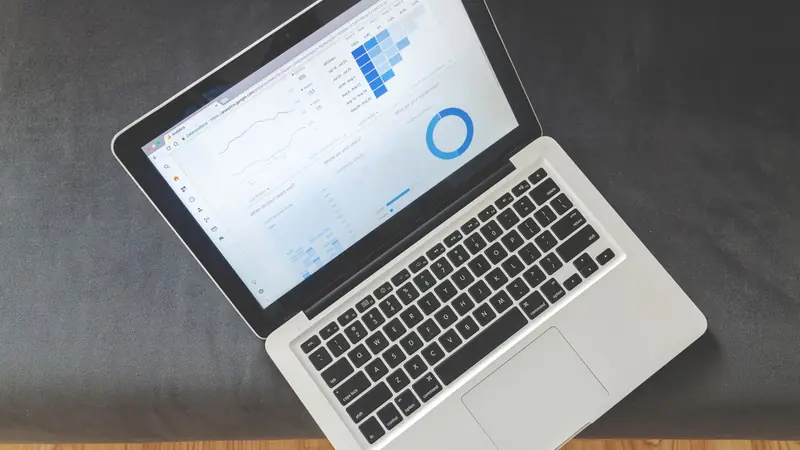
Use Google PageSpeed Insights (pagespeed.web.dev). It is free and shows both real-user and lab data.
- 1Publish the page and open it on your live custom domain
- 2Paste the full page URL into PageSpeed Insights and click Analyze
- 3Read the Mobile tab first then Desktop
- 4Check the Core Web Vitals field data if it appears
- 5Scroll to Diagnostics to see the heaviest images and scripts
- 6Make one change then re-run the test two or three times
Field Data vs Lab Data
PageSpeed Insights shows two kinds of results, and they often disagree:
- Field data comes from real Chrome users over the previous 28 days (the Chrome UX Report). New or low-traffic funnels often have none.
- Lab data comes from Lighthouse in a simulated device and network. It is the part you use to debug, and Google notes the score can change between runs even when the page has not changed.
What Good Looks Like
Google's targets for Core Web Vitals, measured at the 75th percentile of visits:
| Metric | What It Measures | Good |
|---|---|---|
| Largest Contentful Paint (LCP) | How fast the main content (often your hero image or headline) appears | 2.5 seconds or less |
| Interaction to Next Paint (INP) | How quickly the page responds to taps and clicks | 200 milliseconds or less |
| Cumulative Layout Shift (CLS) | How much the layout jumps while loading | 0.1 or less |
The Lighthouse performance score is graded 90 to 100 as good, 50 to 89 as needs improvement and below 50 as poor. Treat it as a diagnostic, not a goal in itself. ClickFunnels' help center also mentions GTmetrix and PageVitals as alternative testers.
Quick Tip
Test one change at a time and run each test more than once. Lab scores move a few points between runs, so a single result can mislead you.
What Slows ClickFunnels Pages Down

| Cause | Why It Slows the Page | Fix |
|---|---|---|
| Large images | The browser downloads megabytes before showing the page | Compress, resize, use WebP |
| Video embeds | Players load their own scripts and files | Video element with lazy loading |
| Many fonts | Each font family and style is a separate download | Two or three families via the Style Guide |
| Tracking and widget scripts | Each one calls an outside server | Keep only essential scripts, page-level when possible |
| Duplicate mobile/desktop sections | Hidden sections still load | Mobile settings, Flex or CSS instead |
| Hidden or unused content | Hidden still means downloaded | Delete it |
| Animations | Extra CSS and JavaScript work | Use sparingly |
| Iframes | Each loads its own HTML, CSS and JavaScript | Embed only what you need |
ClickFunnels Speed Optimization Checklist: 12 Fixes
Work through these in order. The first four usually make the biggest difference on media-heavy funnel pages.
1. Compress and Resize Images Before Upload
ClickFunnels' performance guide gives clear targets:
| Image Type | Recommended Size |
|---|---|
| General images | Under 500 KB |
| Banners and hero images | 1 MB or less |
| Thumbnails and icons | Under 150 KB |
| Full-width banner width | About 1920 px |
ClickFunnels accepts JPG, PNG, SVG, GIF, WebP and ICO uploads up to 10 MB per image, but that is a ceiling, not a target. Compress files with a tool like TinyPNG, Squoosh or ImageOptim. Use WebP wherever you can; ClickFunnels supports it and recommends it for all images. Keep PNG for graphics that need transparency and JPEG only where WebP is not an option. Do not upload a 4000-pixel photo to show it 400 pixels wide.
2. Use the Image Quality Setting
The Image element has a Quality setting that controls compression. ClickFunnels suggests:
- 80% or higher for product photos and key visuals where detail builds trust
- 50 to 70% for supporting images
- Below 50% for decorative images and backgrounds
3. Turn On Lazy Loading for Images and Videos
Lazy loading delays images and videos until the visitor scrolls near them, so the first screen appears faster. In the editor, click the element's gear icon and set Lazy Loading? to on.
Watch Out
New Image elements have lazy loading on by default, but images that were already on your pages before that default changed stay off until you switch them on. On older funnels, check every image below the first screen.
Leave lazy loading off for the main hero image at the top of the page. It is visible immediately, and delaying it can slow the Largest Contentful Paint.
4. Add Videos the Lightweight Way
Video is one of the heaviest things you can put on a sales page. Add it with ClickFunnels' Video element using a YouTube, Vimeo or Wistia URL or an uploaded file, then set Lazy Loading? to yes. Videos pasted in as embed code have no lazy loading setting, so they load with the page. The help center notes videos in page popups are lazy-loaded by default, and Voomly videos always are.
If a page has several videos, ask whether each one earns its place. A single video above the order button is usually enough.
5. Limit Fonts to Two or Three Families
Every font family and every style (regular, bold, italic) is a separate download. ClickFunnels recommends no more than two to three font families, limited styles, and default or web-safe fonts where possible.
6. Set Styles Once in the Style Guide
The Style Guide sets fonts, colors and button designs for the whole workspace. ClickFunnels says this avoids repetitive inline styles on each element, which gives cleaner code and lighter CSS. It also makes pages faster to build, which matters when you start from ClickFunnels funnel templates and restyle them.
7. Audit Tracking Scripts and Custom Code
Scripts are the quiet speed killer. Pixels, chat widgets, heatmaps and review widgets each call an outside server.
- The Site app header and footer apply to every page in the workspace: funnels, landing pages and the blog. ClickFunnels advises keeping only essential tracking there, such as Google Analytics or the Meta pixel.
- Put page-specific scripts on that page only. Funnel-wide code goes in the funnel's Head Code or Footer Code fields, which apply to all steps in that funnel.
- Remove scripts from tools you no longer use, and keep custom CSS short.
The ClickFunnels integrations guide shows which tools connect natively, which can save you from pasting extra code into your pages.
8. Stop Duplicating Sections for Mobile and Desktop
A common habit is building one section for desktop and a copy for mobile, then hiding each on the other device. ClickFunnels warns that hidden sections still load, so the page carries both versions. Instead:
- Use mobile-specific properties (font size, padding, alignment) in the settings panel.
- Use a Flex container to change direction, wrapping and order on small screens.
- Use short custom CSS with the editor's breakpoints:
@media (max-width: 770px)for mobile and@media (min-width: 771px)for desktop.
ClickFunnels treats screens up to 770 px wide as mobile. The editor's Tablet View previews a 750 px canvas using the mobile values.
9. Delete Hidden and Unused Content
Old test sections, retired testimonials and hidden variations still load in the background. Open the Editor Layout Navigation to see every section, row and element, including hidden ones, and delete anything you no longer need.
10. Go Easy on Animations
Animations rely on extra CSS or JavaScript and add work for the browser, especially on slower phones. Keep them for one or two elements that really need attention, such as the main button.
11. Limit Embedded Widgets and Iframes
Embedded calendars, forms and widgets each load their own HTML, CSS and JavaScript. Where ClickFunnels has a native option, such as its Appointments app or built-in forms, it is usually lighter than an outside embed.
12. Keep Each Page Focused
Every section, row and element adds weight. ClickFunnels recommends keeping only content that supports the page goal, not repeating the same testimonial block twice, and using simpler layouts with fewer nested rows and columns. A focused page is lighter and easier for visitors to act on.
Course and Membership Pages
Course pages can feel slower than funnel pages. A request titled "Courses are slow! Clean up course code" on ClickFunnels' public feedback board collected 13 votes before it was closed. The closing reply said "We are constantly working to speed up load time on all pages," while staff earlier suggested lazy loading images, reducing image quality and shrinking video uploads.
You cannot rewrite platform code, so apply the same checklist to lessons: compressed images, lazy-loaded videos hosted on a video platform, and no duplicated sections.
Speed Optimization Tools and Services

| Tool | Use It For |
|---|---|
| Google PageSpeed Insights | Core Web Vitals field data and Lighthouse diagnostics (free) |
| Lighthouse in Chrome DevTools | Lab tests in your own browser while you edit (free) |
| GTmetrix or PageVitals | A second opinion, named in ClickFunnels' help center |
| TinyPNG, Squoosh, ImageOptim | Compressing images before upload |
Some agencies and script-based services sell ClickFunnels speed optimization. Before paying, ask what they will change, whether they add their own script to your pages, and how they will measure results. Most of the gains described in this guide come from settings you can change yourself in an afternoon.
What You Can and Cannot Control
| You Control | You Do Not Control |
|---|---|
| Image size, format and quality | ClickFunnels' hosting and core page code |
| Lazy loading settings | The visitor's device and connection |
| Fonts, animations, layout | Code loaded by outside widgets you embed |
| Which scripts run, and where | How Google weighs speed among other signals |
If a stripped-down page with small images and no third-party scripts still tests poorly on your custom domain, contact ClickFunnels support with the PageSpeed Insights report. If speed is a deciding factor in your platform choice, the ClickFunnels alternatives page compares other builders.
Our Verdict
ClickFunnels speed optimization is mostly page hygiene. Compress images to the help center's size targets, switch on lazy loading (especially on older funnels), add videos through the Video element, use two or three fonts and strip unneeded scripts from the site header. Then test on mobile in PageSpeed Insights, one change at a time.
Aim for good Core Web Vitals and a page that feels instant on a phone, not a perfect score. For the basics of building pages in the first place, see ClickFunnels for Dummies.
Build Your Funnel With ClickFunnels
Pages, checkout, email and courses in one account, with a free trial and a 30-day money-back guarantee.
Frequently Asked Questions
Why Is My ClickFunnels Page Loading Slowly?
The most common causes are large images, video embeds without lazy loading, too many fonts, heavy tracking scripts in the site header and footer, sections duplicated for mobile and desktop, and hidden content that still loads in the background.
How Do I Check My ClickFunnels Page Speed?
Paste the live page URL into Google PageSpeed Insights and run it on mobile and desktop. Look at the Core Web Vitals field data if your page has enough traffic, and use the lab diagnostics to find heavy images and scripts.
What Image Size Should I Use in ClickFunnels?
ClickFunnels' help center recommends keeping most images under 500 KB, large banners or hero images at 1 MB or less, and thumbnails and icons under 150 KB. Full-width banners should be about 1920 pixels wide, and WebP is the recommended format.
Does ClickFunnels Have Lazy Loading?
Yes. Image and Video elements have a Lazy Loading setting. It is on by default for new images, but images added before that default changed stay off until you switch them on. Videos added with embed code have no lazy loading option.
Is There a ClickFunnels Speed Optimization Tool?
ClickFunnels has no one-click speed tool. Speed comes from page settings such as lazy loading and image quality. Free testers like Google PageSpeed Insights and GTmetrix measure results, and image compressors such as TinyPNG or Squoosh shrink files before upload.
Does Page Speed Affect SEO for ClickFunnels Pages?
Google uses Core Web Vitals as part of its page experience signals, and ClickFunnels' help center says poor performance can hurt rankings. Speed matters even more for paid traffic, where every slow second costs visitors you paid for.
Can I Make a ClickFunnels Page Score 100 in PageSpeed Insights?
Possibly on a very simple page, but no one can promise it. Lab scores vary between runs, and some code comes from the platform itself. Aim for good Core Web Vitals and a fast-feeling page on a phone rather than a perfect score.
Build Lighter Funnels in ClickFunnels
Start a free trial, set up your Style Guide first and use the settings in this checklist from your very first page.
Start Your Free ClickFunnels Trial